IMMER
Brain Break Videos for the Classroom: How to Pick the Right One by Length
Quick answer: A good brain break video is short (3–5 minutes between lessons, 8–10 for a full reset), shows every move before it is needed, and gets the whole class moving without extra instructions. First-person run videos like Subway Train Escape (3 min) or Steal the Egg (5 min) work well because children simply copy the signs on screen.
A brain break is a short, planned pause where students stop working and do something different — usually something active — before they go back to learning. The best ones are over before anyone gets bored and leave the room calmer, not wilder. A video makes that easy: you press play, the screen leads, and you get two minutes to set up the next lesson.
This guide explains how to choose brain break videos that work for your class, how long they should be, and how to use them without losing control of the room.
Why active brain breaks work
Sitting still is hard work for children. After 20 to 30 minutes of focused learning, most kids start to fidget, drift or chat. A movement break gets blood flowing, burns off restless energy and gives the brain a clear "pause" signal. Many teachers find students settle faster after a few minutes of movement than after a lecture about settling down.
Active brain breaks also help children who struggle most with long periods of sitting. A predictable break every half hour can be easier to wait for than an unpredictable reprimand.
How long should a brain break be?
Match the length to what comes next:
- 2–4 minutes: a quick reset between two parts of the same lesson. Long enough to move, short enough not to lose the thread.
- 5–6 minutes: between subjects, after lunch or before a test. Enough time for heart rates to go up and come back down.
- 8–10 minutes: a full reset on a day with no outside play — or as a PE warm-up.
Every run on ImmerWorlds shows its length on the thumbnail, and the library lets you filter to runs under 5 minutes.
| Time you have | Try this run | What makes it work |
|---|---|---|
| About 3 minutes | Subway Train Escape | 3 short levels, lots of jumps and ducks |
| About 4 minutes | Flying Car: Sky City | Steering and leaning — fits a small space |
| About 5–6 minutes | Steal the Egg | A chase story kids love, 5 levels |
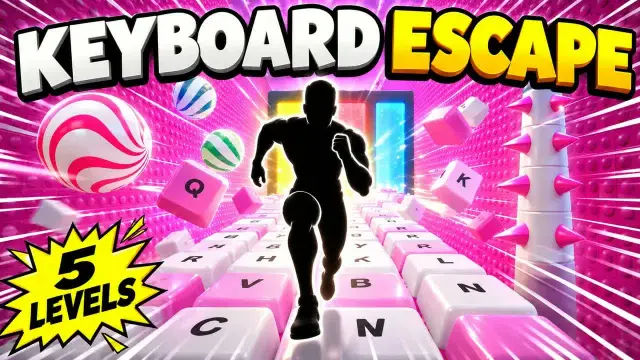
| About 7 minutes | Keyboard Escape | Candy and space worlds, punches and mirror poses |
| 8+ minutes | Highrise Run | 7 levels from easy to hard |
What to look for in a brain break video
Moves are shown before they are needed. If children have to guess, they stop moving and start talking. Good videos introduce each move at the start and use the same sign every time.
One clear focus. Too many characters, words and sound effects can over-excite a class. A first-person run is simple: you are the runner, the sign says what to do, the beat says when.
A natural ending. Videos that slow down at the end — a final level, a reveal, a "which was your favourite?" question — help the class come back down before work starts again.
Works in the space you have. Most classrooms can fit students standing beside their desks. Look for moves that happen on the spot: jumping, ducking, side-steps, punches and copying a pose. Avoid videos that need running around the room.
No ads in the middle. Ads break the flow and can show things you didn't plan for. Using a video on a school account, a premium account or an embedded player such as the one on our run pages helps.
3:21 · 3 levels Video plays from YouTube (privacy-enhanced mode) only after you press play.
Open on YouTube
How to run a video brain break with a whole class
- Set a routine. Use the same words every time — "Brain break: stand up, push in your chair, find your space." Routine is what keeps it calm.
- Clear the space. Bags under desks, chairs tucked in, arm's length from neighbours.
- Turn the sound up. In our runs the beat tells you when to move, so sound matters as much as the picture. A portable speaker helps in big rooms.
- Join in. Students copy energy. If you jump, they jump.
- Use the ending. When the video ends, ask one question ("Which egg hatched?"), then a calm cue: "Hands on desks, three deep breaths."
Brain breaks for different groups
Younger children (K–2): shorter runs with a story, like Steal the Egg. Let them do toe-raises instead of jumps if the floor is hard. An adult should always be in the room.
Older elementary (3–5): they love a challenge. Longer runs with harder later levels, such as Highrise Run or Sky Obby Run, give them something to beat.
Middle school: keep it short and frame it as a game or a warm-up, not a "kids' video". POV runs feel closer to video games than to dance videos, which helps.
Mixed abilities: every move in our runs has an easier version — toe-raises instead of jumps, a half squat instead of a full duck. Tell students they can choose.
Making the screen part of the room
You don't need anything special — a classroom display, a projector or a TV works. If your sound is weak or the picture is small, our movement corner setup guide covers simple, affordable fixes.
Affiliate disclosure: if you buy through links on this page we may earn a small commission, at no extra cost to you. As an Amazon Associate we earn from qualifying purchases. Read our full disclosure.
Portable Bluetooth speaker
TV and projector speakers are thin. A portable speaker puts the beat — and the cue for every move — where the whole room can hear it.
Check today's price on Amazon (affiliate link, opens in new tab)Fire TV Stick 4K / 4K Plus
Plugs into a TV or projector's HDMI port and runs the YouTube app in 4K, so there's no laptop and cable to trip over.
Check today's price on Amazon (affiliate link, opens in new tab)Frequently asked questions
How often should I do a brain break?
Many teachers use one short break every 20–30 minutes of seated work, and a longer one after lunch or on indoor recess days. Watch your class: when focus drops, it is time.
Are brain break videos OK for kids who can't jump?
Yes. Every move can be done more gently. Toe-raises replace jumps, small knee bends replace ducks, and children can do the arm moves seated if they need to.
Do brain break videos make the class too excited?
They can if the video is chaotic or very long. Choose a video with a clear ending, keep it under 6 minutes between lessons, and finish with the same calming routine every time.
Are ImmerWorlds runs free to use in class?
Yes. All runs are free on YouTube and on this website. You can play them from the run pages, which load the video only when you press play.